Demystifying Flex Cables: A Comprehensive Guide to Tablet Hardware
Welcome, tablet enthusiasts, to another exciting installment of
Flex Cables Explained: A Blog for All Things Tablet Hardware! Today, we embark on a journey to demystify the often-overlooked yet crucial component of tablet hardware – flex cables. Now, I know what you're thinking, "Flex cables? Are we talking about those workout bands for tablets?" Well, not quite. But fear not, by the end of this guide, you'll have a firm grasp on what flex cables are and why they matter in the world of tablets. So, let's dive in!
What are Flex Cables?
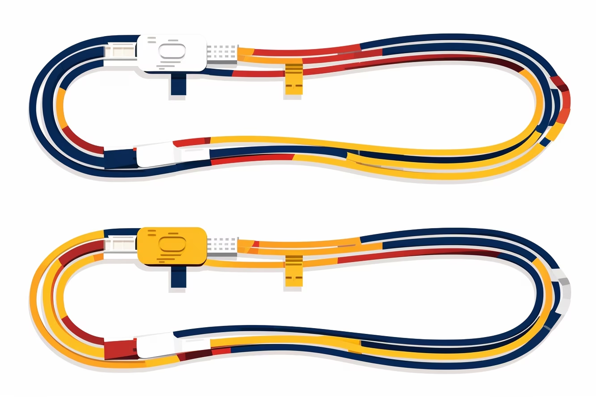
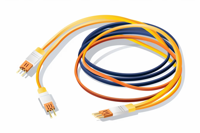
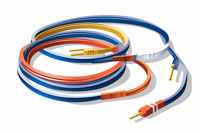
Flex cables, also known as ribbon cables, are thin, flat, and flexible connectors that serve as the lifeline between various
components of a tablet. Picture them as the nervous system of your tablet, transmitting data, power, and signals to ensure proper communication between different parts of the device. From the display to the touch screen, camera to the motherboard – flex cables play a vital role in the seamless functioning of your beloved tablet.
The Unsung Heroes
Flex cables may not be the rockstars of tablet hardware, but they are undoubtedly the unsung heroes. Think about it, without these unassuming connectors, your tablet's display would remain dark, the touch screen would be unresponsive, and the camera would be nothing more then a fancy paperweight. They enable the tablet's
components to work together harmoniously, like a well-coordinated orchestra.
A Delicate Balancing Act
Now that we understand the significance of flex cables let's talk about their construction and the challenges they face. These cables are engineered to be flexible, allowing them to bend, twist, and contort according to the tablet's design. However, this flexibility comes at a cost – fragility. Just like a gymnast performing a high-flying routine, flex cables require careful handling and protection to avoid damage. They are often made from delicate materials like polyester or polyimide, ensuring the necessary flexibility but making them prone to tears or breaks if mishandled.
Where Flex Cables Populate
Flex cables are found in various parts of a tablet, connecting different
components for seamless functionality. Some common areas where flex cables are present include:
- Display and Touch Screen: The flex cable connects the tablet's display to the motherboard, allowing data and power transmission for a vibrant visual experience. The touch screen's responsiveness is also facilitated by a flex cable, enabling your taps and swipes to register accurately.
- Camera: Flex cables bring life to your tablet's camera, ensuring the transmission of data and electrical signals necessary for capturing those Instagram-worthy moments. For example, if you're using a tablet with the New LCD Screen Flex Cable for Microsoft Surface Pro 4, you can trust that your camera will perform flawlessly.
- Power and Volume Buttons: These essential buttons rely on flex cables to establish a connection with the motherboard, translating your commands into action. If you're using an iPad 2 2012 CDMA, you can replace the power and volume buttons with the Power on Off Volume Button Silent Switch Flex Cable Replacement for a seamless experience.
The Troublesome Culprits
Flex cables, though resilient, can occasionally cause issues due to wear and tear or improper handling. If you've ever experienced a flickering display, unresponsive touch screen, or malfunctioning camera, chances are the flex cable is to blame. But don't fret! These issues can often be resolved with some technical know-how or professional assistance. Remember, even the most flexible gymnasts sometimes need a helping hand.
Flex Cable Care Tips
To ensure the longevity and optimal performance of your tablet's flex cables, here are a few care tips:
- Handle with Care: Treat your tablet like a delicate flower, especially when it comes to handling its delicate flex cables. Avoid excessive bending, twisting, or pulling that could lead to tears or breaks.
- Keep It Clean: Dust and debris can interfere with the connections made by flex cables. Regularly clean your tablet's ports and slots to ensure a smooth and uninterrupted flow of data.
- Avoid Extreme Temperatures: High or low temperatures can cause the materials used in flex cables to expand or contract, potentially damaging the delicate connectors. Keep your tablet in a moderate temperature range to avoid any unnecessary stress on the cables.
- Professional Assistance: If you're experiencing persistent issues with your tablet's hardware, it's always a good idea to seek professional assistance. Trust me, trying to fix it yourself might lead to even more flex cable-related headaches.
Wrapping Up
Congratulations, dear reader! You've successfully navigated the world of flex cables and gained a deeper understanding of their importance in the realm of tablet hardware. Remember, while flex cables may not steal the spotlight, their impact on your tablet's functionality is undeniable. Treat them with care, and they'll reward you with consistent performance.
Join us next time on
Flex Cables Explained: A Blog for All Things Tablet Hardware, where we'll uncover more hidden gems and shed light on the complex world of tablet technology. Until then, keep flexing your knowledge and enjoy your tablet experience!
Disclaimer: This blog post is for informational purposes only. Attempting to flex your tablet's actual cables may result in voiding your warranty, frustrated IT personnel, and potentially an embarrassing story to share at parties.
Team2 - October 17, 2023
"Nice info, thanks for sharing!"
Carrotbush - October 16, 2023
Great post! I always wondered what those cables were for. Thanks for the info!
VJab831 - October 15, 2023
Great post! Learned a lot about flex cables. Thanks!