Demystifying Flex Cables: Unlocking the Secrets of Tablet Hardware
Welcome to Flex Cables Explained, a blog dedicated to unraveling the mysteries of tablet hardware. In today's post, we will be demystifying flex cables, an integral component of tablets that often goes unnoticed. So, grab your cup of coffee and get ready to dive into the facinating world of tablet hardware!
What are Flex Cables?
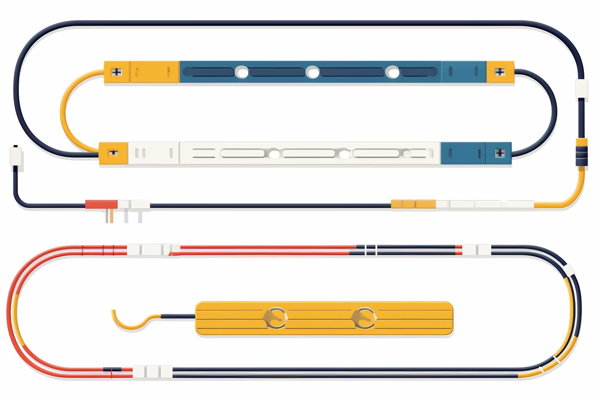
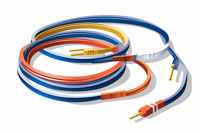
Flex cables, also known as flexible flat cables (FFCs) or ribbon cables, are thin and flexible connectors that transmit signals and power between various components of a tablet. These cables are made up of multiple layers of conductive materials, usually copper, sandwiched between layers of insulating material. This unique design allows the cables to bend and flex without damaging the delicate wires inside.
The Role of Flex Cables in Tablets
Flex cables play a crucial role in connecting different components of a tablet, including the display, touch panel, buttons, speakers, and other internal hardware. These cables act as a bridge, enabling data transfer and power distribution between these components.
For example, the
flex cable connecting the tablet's display to the motherboard ensures that the image signals from the graphics processor reach the screen, allowing you to see vibrant visuals and interact with the device. Similarly, the
flex cable connecting the touch panel to the motherboard facilitates touch input, enabling you to navigate through apps and perform various actions on the tablet.
Types of Flex Cables
Tablets can have various types of flex cables, depending on their design and functionality. Here are a few common types you may come across:
Display Flex Cables
Display flex cables are responsible for transmitting video signals from the motherboard to the tablet's screen. These cables are specifically designed to handle high-resolution images and ensure that the display functions properly.
Touch Panel Flex Cables
Touch panel flex cables are responsible for transmitting touch input signals from the tablet's screen to the motherboard. These cables allow you to interact with the device through gestures, taps, and swipes.
Button Flex Cables
Button flex cables are responsible for transmitting signals from physical buttons, such as power buttons and volume buttons, to the motherboard. These cables ensure that you can control different aspects of your tablet's functionality with ease.
Speaker Flex Cables
Speaker flex cables are responsible for transmitting audio signals from the motherboard to the tablet's speakers. These cables play a crucial role in delivering clear and immersive sound quality.
Common Issues with Flex Cables
While flex cables are designed to be durable and flexible, they can still encounter issues over time. Here are a few common problems you may experience with flex cables:
Cable Fraying or Damage
Flex cables, like any other cables, can experience wear and tear over time. Constant bending, twisting, and pulling can cause the cables to fray or get damaged. This can result in issues such as display flickering, unresponsive touch input, or malfunctioning buttons.
Loose Connections
Flex cables rely on secure connections to function properly. Over time, these connections can become loose due to various factors, including physical stress or manufacturing defects. Loose connections can lead to intermittent issues, such as a flickering display or intermittent touch responsiveness.
Connector Damage
The connectors at the ends of flex cables can also get damaged, either due to mishandling or accidents. Bent or broken connectors can prevent the cables from making proper contact, resulting in various hardware malfunctions.
Tips for Flex Cable Care
To ensure the longevity and optimal performance of your tablet's flex cables, here are a few tips to keep in mind:
- Handle with Care: Avoid excessive bending or twisting of your tablet, especially near the areas where flex cables are located.
- Avoid Overstretching: Be mindful of the connectors at the ends of the flex cables and avoid putting undue stress on them.
- Protective Cases: Consider using a protective case for your tablet to provide an extra layer of protection against accidental damage.
- Professional Repairs: If you encounter any issues with your tablet's flex cables, it's best to seek professional assistance for repairs. Attempting to fix them yourself may lead to further damage.
Conclusion
Flex cables may seem like a small and insignificant part of a tablet's hardware, but they play a crucial role in its overall functionality. Understanding their importance and taking proper care of them can help ensure a seamless and enjoyable tablet experience.
We hope this blog post has shed some light on the world of flex cables and their role in tablet hardware. Stay tuned for more informative posts on Flex Cables Explained, where we continue to demystify the fascinating world of tablet hardware!

shadow-screenname - October 17, 2023
Wow, this article was so informative! I've always wondered about flex cables but never really understood them. Thanks for breaking it down in such a clear and concise way. Can't wait to read more from this blog!
silly - October 16, 2023
Wow, this post is super informative! I had no idea flex cables were such a crucial component in tablet hardware. Thanks for breaking it down!
Madison-Avenue273 - October 15, 2023
thx 4 the info, now i understand flex cables way better!